For instructors
Graded Verilog labs in the browser
Students write Verilog in a browser tab. Hidden tests grade it on our server, and the scores land in your gradebook.
- No install. Runs on Mac, Windows and Chromebooks.
- Hidden tests graded on our server, the same way every time.
- Gradebook exports to CSV for Canvas or Moodle.
Free for design-partner courses this term.
Why now
Several tools courses relied on are gone or hard to run on the laptops students bring.
No Vivado or Quartus install
Those are multi-gigabyte installs. Here, Yosys builds the design on our server and the simulator runs in the browser.
Apple Silicon Macs
Vivado has no Apple Silicon build. A browser tab works on any laptop, and on a Chromebook.
GitHub Classroom shut down
It closed on 28 August 2026. Courses here give you a roster, invite links and autograding for Verilog.
Multisim Live ended
It closed on 15 September 2026. Digital labs run here, and our circuit simulator runs analog circuits in the browser.
How it works
Three steps. Students need a free account and the invite link.
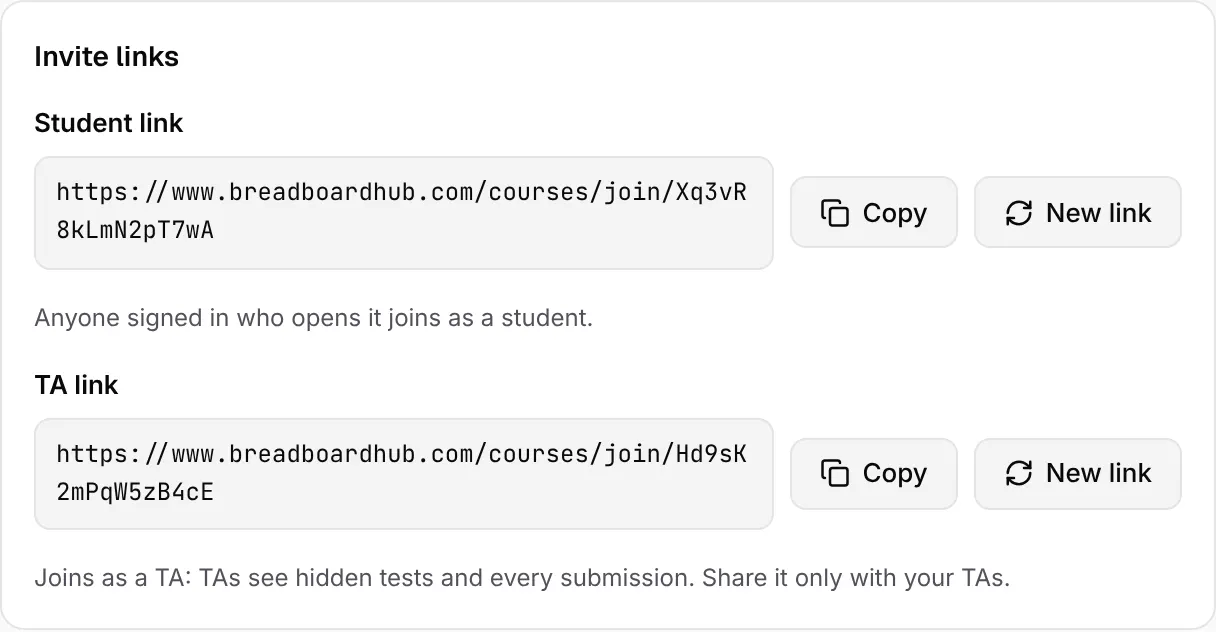
Create a course, share the link
Students join with the student link. TAs get a link of their own.
Write an assignment
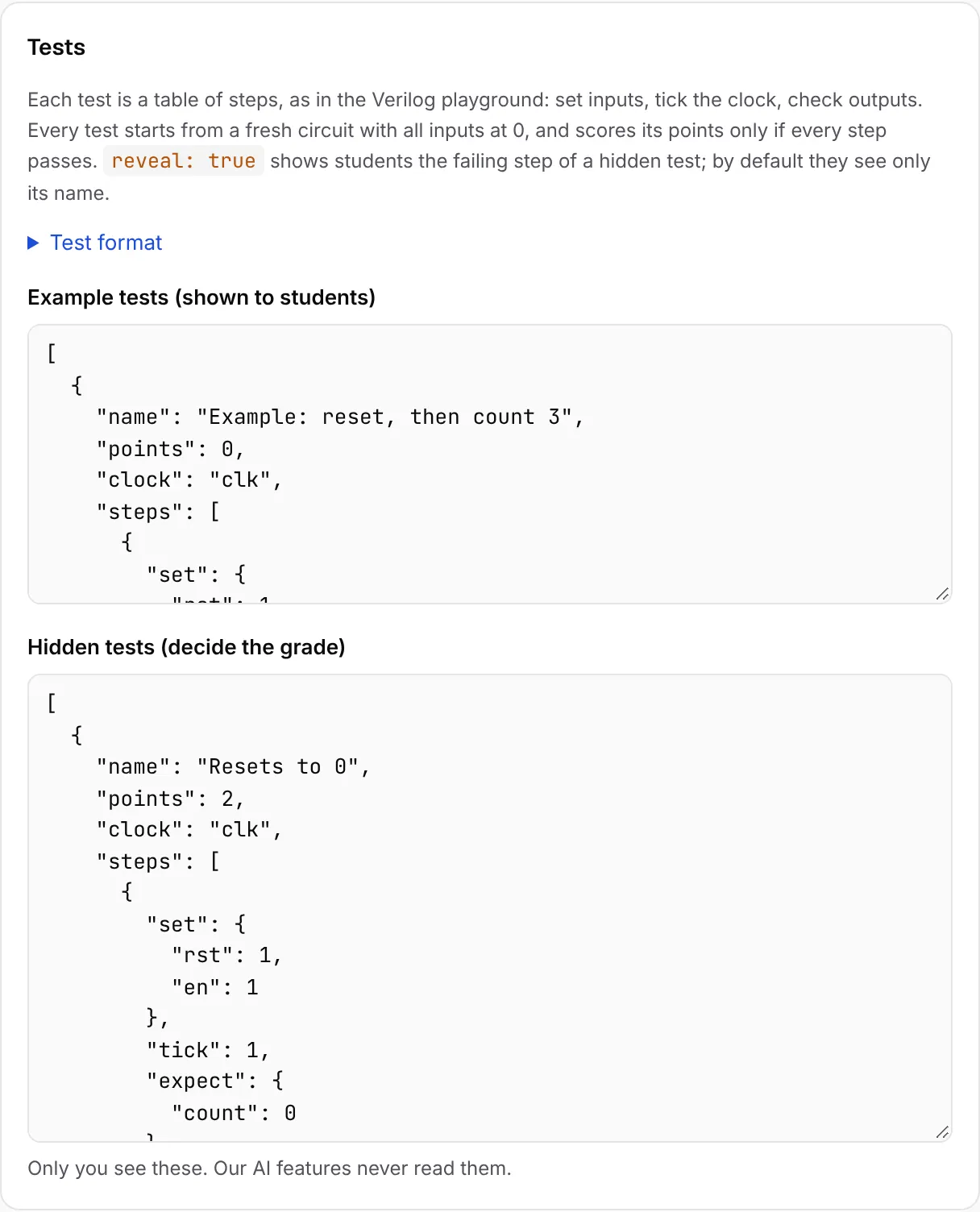
Instructions, starter code, example tests and the hidden tests that decide the grade. Add your solution and it is graded on every save, so a broken test never reaches students.
Students submit, you get grades
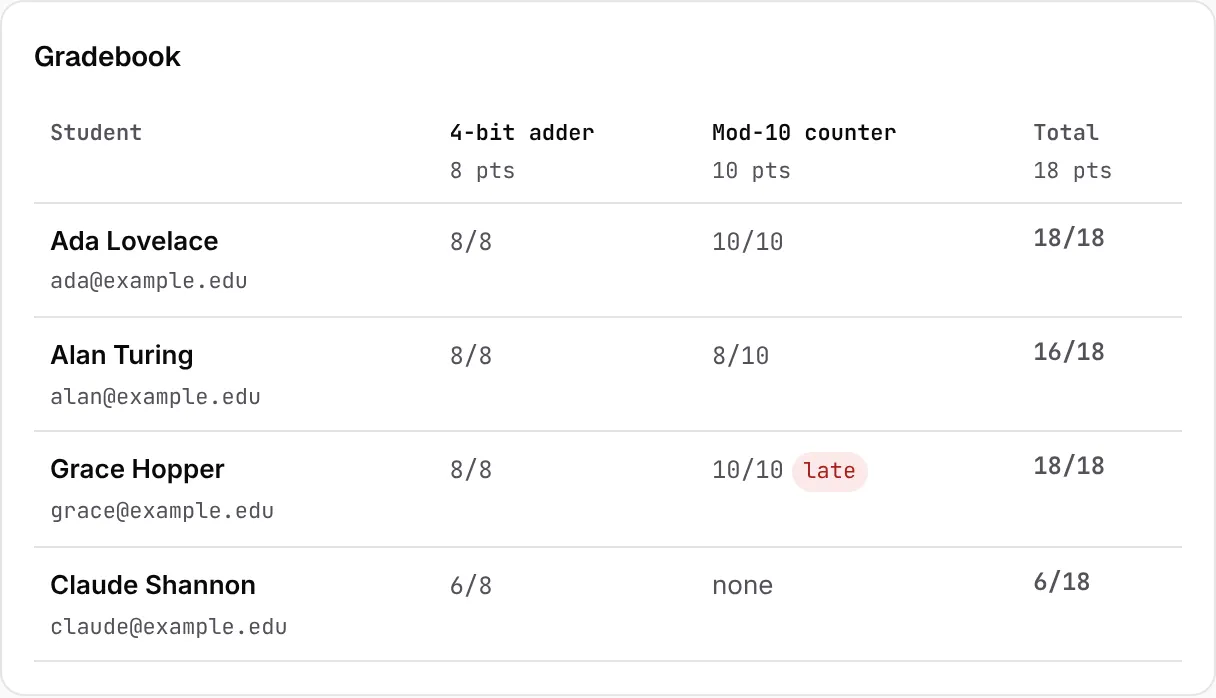
Each submission is built and graded on our server. The gradebook counts each student's best or latest score and exports to CSV.
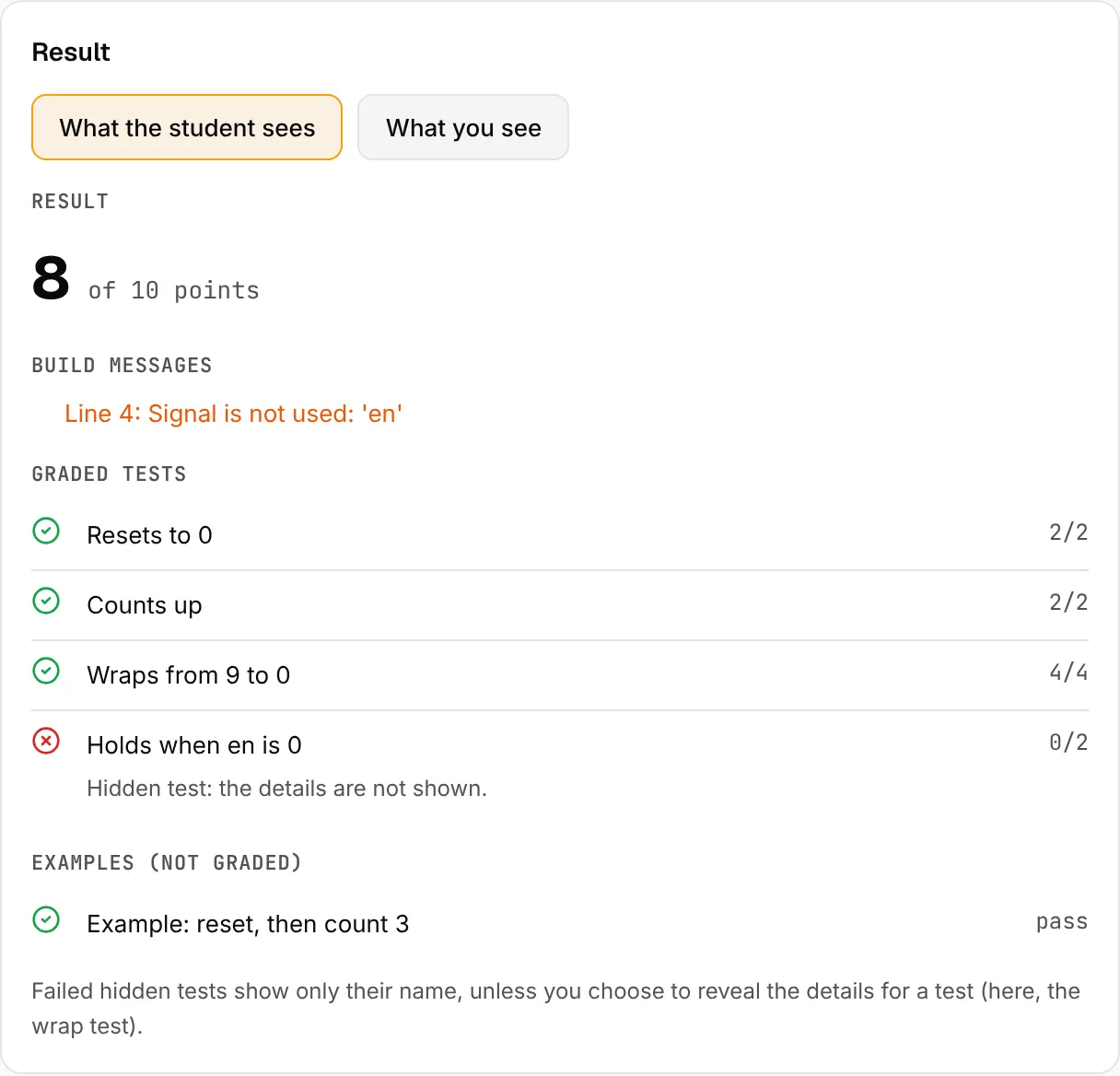
What students see, and what you see
Hidden tests stay hidden. Our AI tools are not on assignment pages.
Students
- The instructions, starter code and example tests, which they can run in the browser.
- The name and points of each hidden test, and whether it passed.
- The failing steps of a hidden test only if you choose to reveal them for that test.
- Their own submissions and scores.
- No AI designer and no link to the Verilog playground on the assignment page. Their code is not sent to any AI.
You and your TAs
- Every hidden test, with the inputs, expected and actual values of each failing step.
- Each student's latest submission, best score, attempt count and code.
- The gradebook, with late submissions marked.
- Your reference solution. Only instructors can edit assignments; TAs read and grade.
We cannot block outside AI tools, such as a chatbot in another tab. What we do: every attempt is kept with its code and time, so you can see how a solution came together.
What works now, and what does not yet
- Verilog, built with Yosys: combinational and clocked designs.
- Tests as step tables: set inputs, tick the clock, check outputs. Points per test.
- Due dates, with late submissions marked.
- Best or latest submission counts, per course.
- Instructors, TAs and students. Phones and tablets as well as laptops.
- VHDL.
- SystemVerilog. Yosys reads some of it, but we have not tested it.
- FPGA boards or bitstreams. This is simulation only.
- Verilog testbench files as tests. Tests are step tables.
- Direct LMS sync (LTI). Export CSV for now.
Privacy and data
- We store each student's name, email, submitted code and scores, so you can grade and export them.
- AI providers do not train on it. Assignment code is never sent to an AI, and our AI tools elsewhere on the site use Anthropic's API, which does not train on API data by default.
- A data processing agreement (DPA) is available on request: contact us.
- Details: our Security page and Privacy Policy.
Questions
- What does it cost?
- It is free for design-partner courses this term. Talk to us to set one up.
- Does it work with Canvas or Moodle?
- Export the gradebook as CSV and import it into Canvas, Moodle or any LMS that takes a CSV. The export has each student's name, email, score per assignment, total and late work. Direct sync (LTI) is planned, not built yet.
- How big can a class be?
- There is no fixed cap. Each submission is graded on its own on our server. If your class is larger than a few hundred students, tell us before term so we can plan for it.
- Can TAs help?
- Yes. Share the TA invite link. TAs see the hidden tests, every student's submissions and the gradebook. Only instructors edit assignments and see the invite links.
- What happens with late work?
- Students can still submit after the due time. Those submissions are marked late in the submissions list, the gradebook and the CSV. No penalty is applied automatically, so your own late policy decides.
- Does it support SystemVerilog or VHDL?
- Verilog is supported. Yosys reads some SystemVerilog, but we have not tested it, so treat it as unsupported for now. VHDL is not supported yet.
Run your next Verilog lab here
Set up a course in a few minutes, or try the sample first.